 Personal Bests
Every feature,
for every effort.
From the fastest mile hidden in a long run to the medals on your Lock Screen — here’s everything Personal Bests can do.
Finds the bests you didn’t know you had
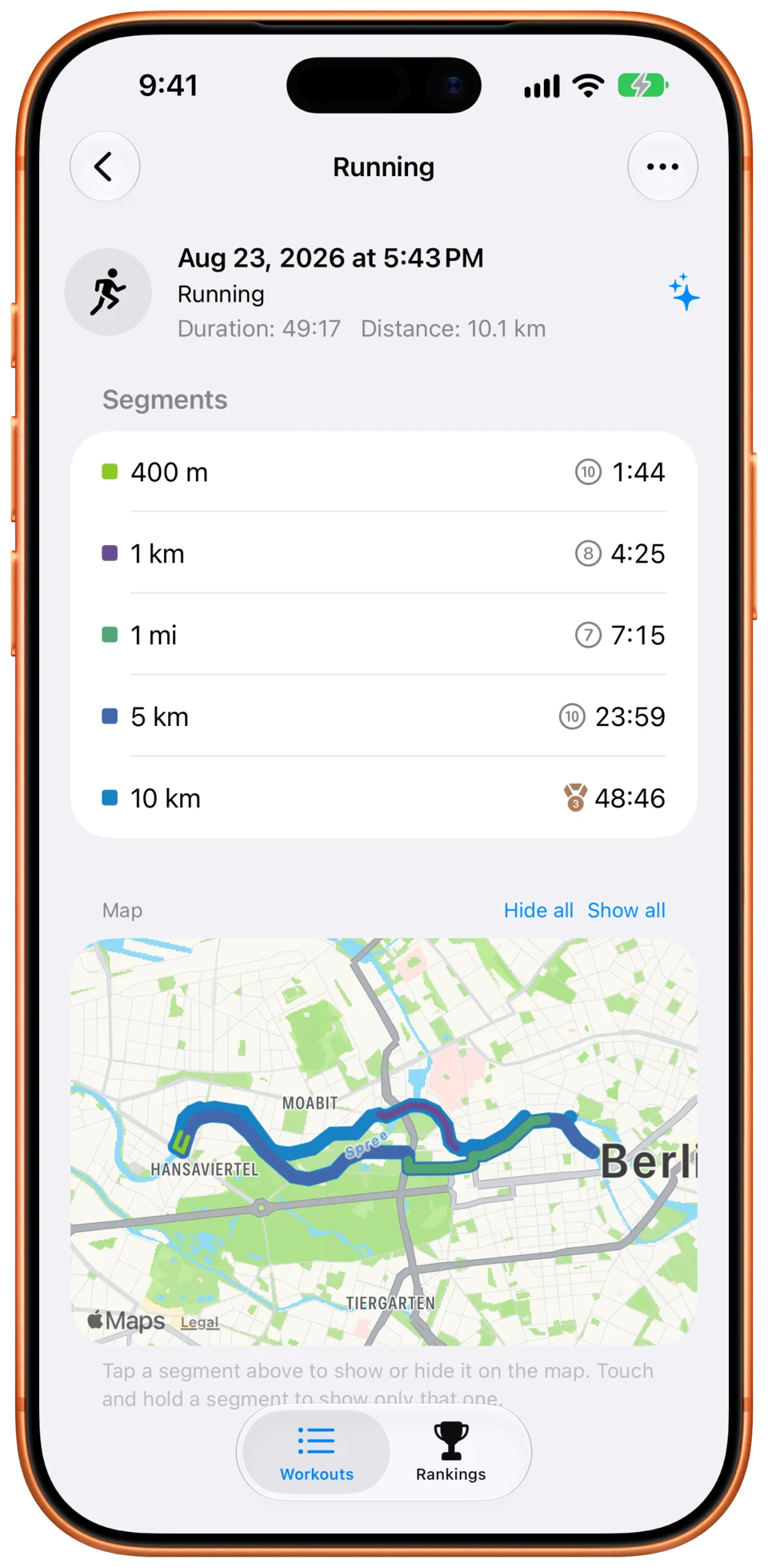
Most apps only show totals. Personal Bests checks every stretch of every workout in Apple Health and finds your fastest segment for each distance you care about.
- Your fastest 5K might be kilometres 7 to 12 of a half marathon — it still counts
- Your whole history, from Apple Watch, iPhone and other apps that write to Apple Health
- New workouts are analysed automatically, even in the background
Any distance, any timeframe
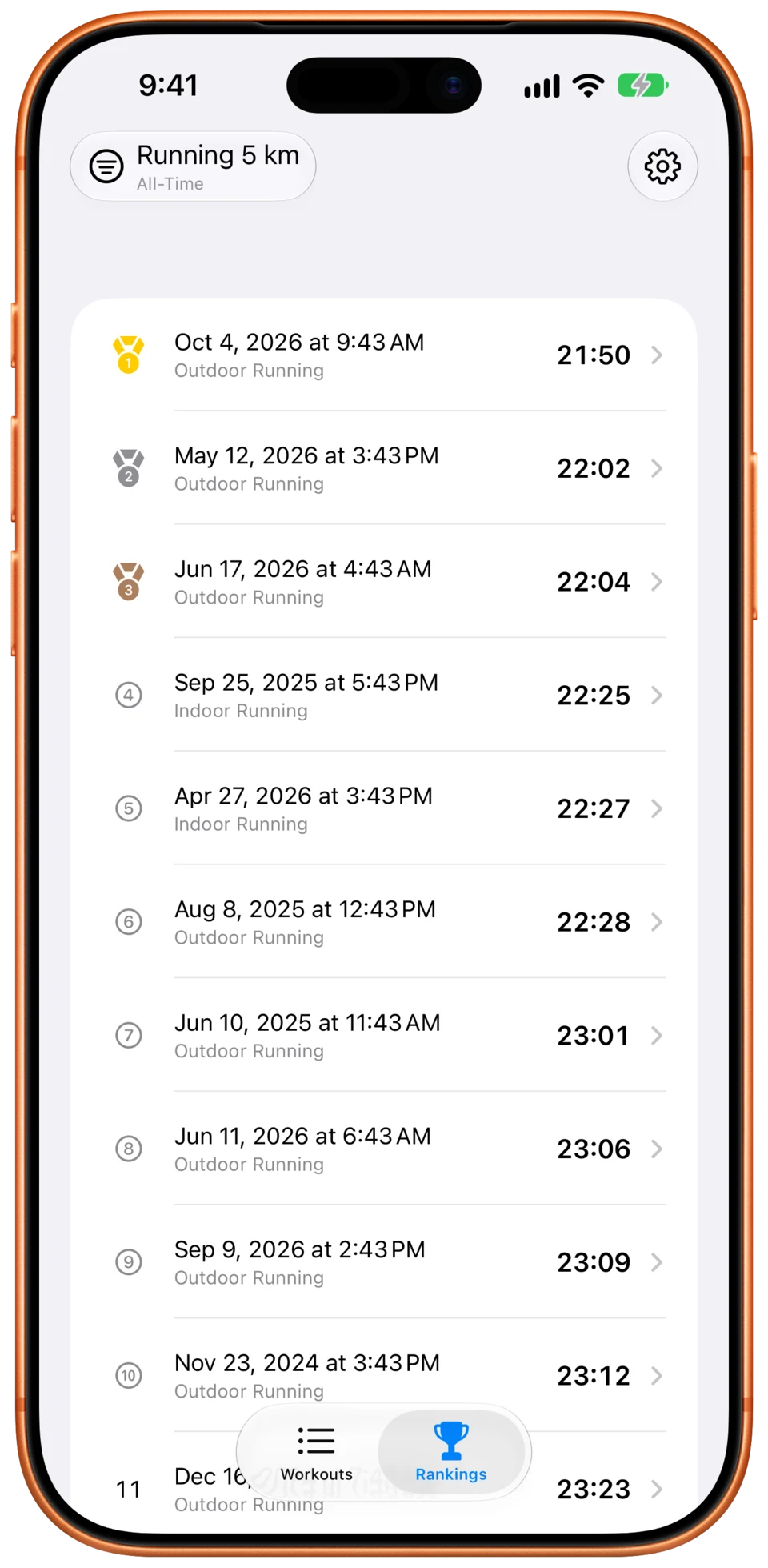
Every segment becomes a leaderboard with exactly one competitor: you. You pick the distances and the time window you’re measured against — coming back from an injury, rank against the past three months instead of your all-time best.
- 400 m, 5K, marathon — or any distance in metres, kilometres or miles
- All-time, the past year, or any window in days, weeks, months or years
- Indoor and outdoor ranked separately, if you prefer
- Earned medals can stay yours, even after you beat them
See where you were fastest
Open a workout and your fastest segments are drawn on the route, each in its own colour. Shorter efforts sit on top of longer ones, so your fastest 5K stays visible inside your fastest 20K.
- Tap a segment to show or hide it, or touch and hold to see just that one
- Pauses and recording gaps aren’t bridged with straight lines
- Choose what opens by default: your favourite segment, all of them, or no map
No medals for the train ride home
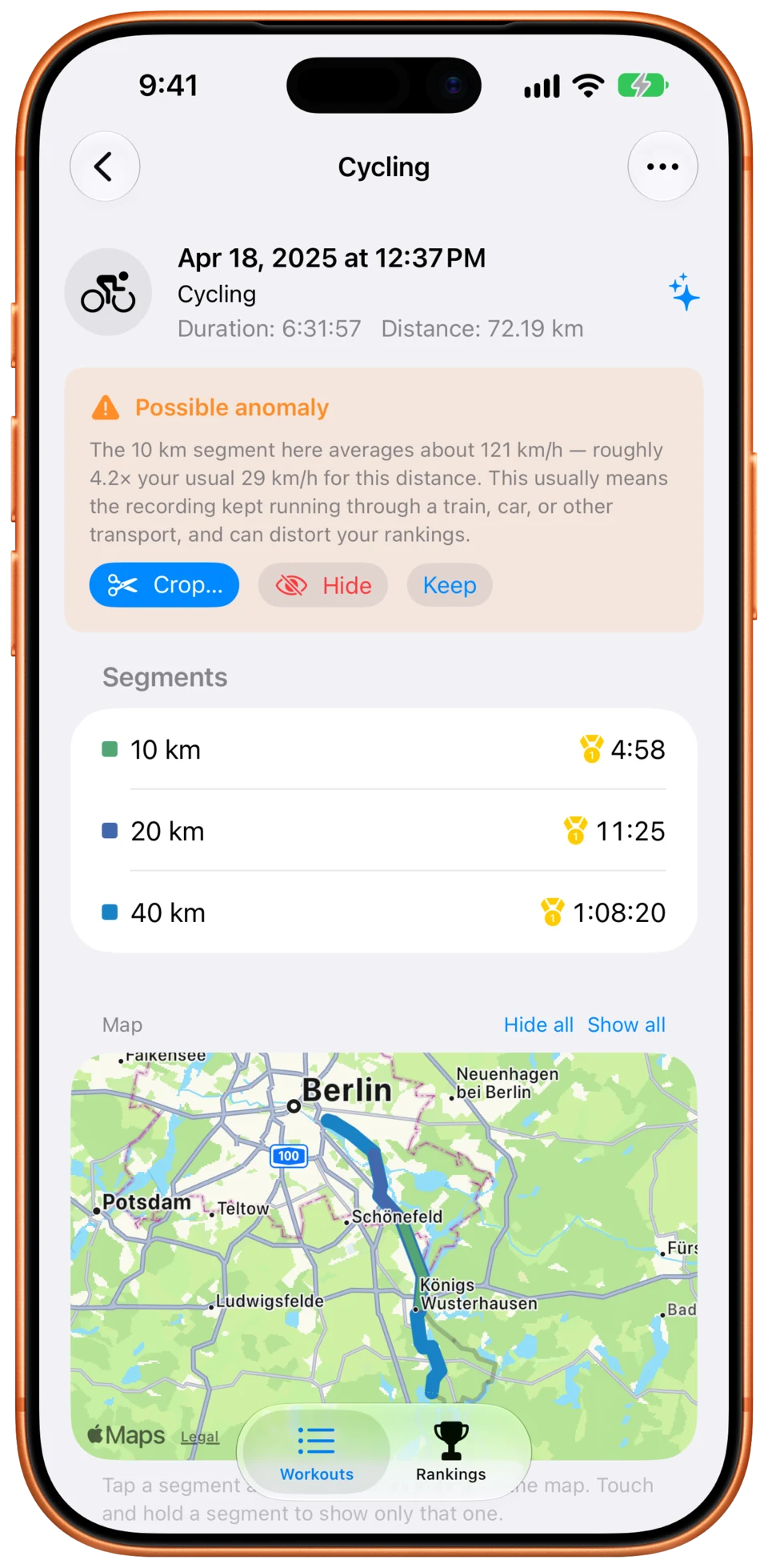
Forgot to stop your watch? Personal Bests spots segments that are too fast to be true for you and flags the workout, so a train or car ride can’t take a podium place. Nothing changes until you decide.
- Judged against your own history, so a fast descent isn’t flagged but a train is
- Crop a workout to the part you actually did — your Health data is never changed
- Remove GPS spikes with one tap, and undo any fix at any time
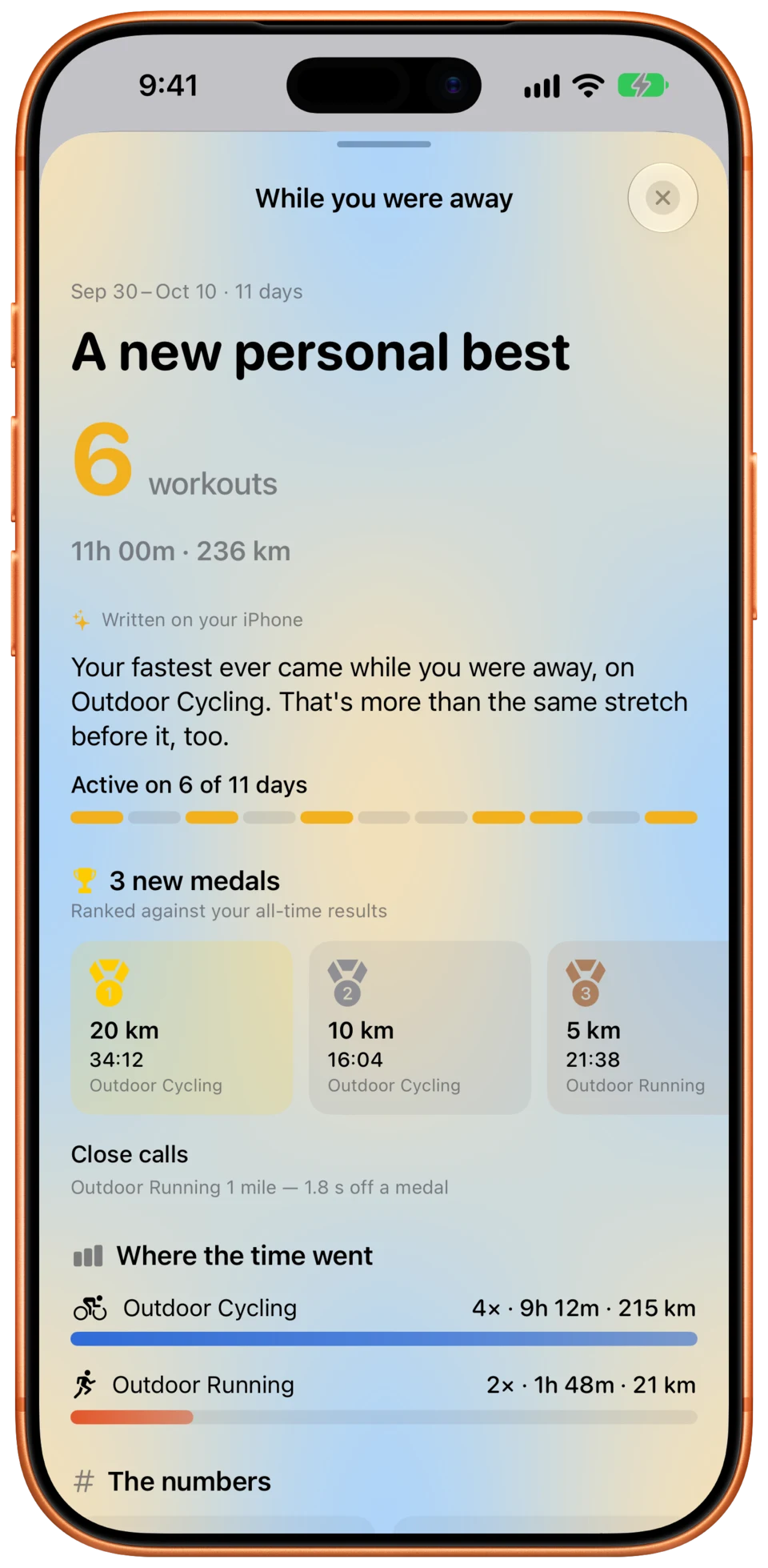
While you were away
Come back after a day or more and Personal Bests sums up everything since your last visit: the medals you picked up, and how your training compares with the stretch before.
- New medals, workouts, and time and distance per sport
- Active days, your longest workout, and your near misses
- Shown at most once a day, and only when there’s something new
Know the moment you set a record
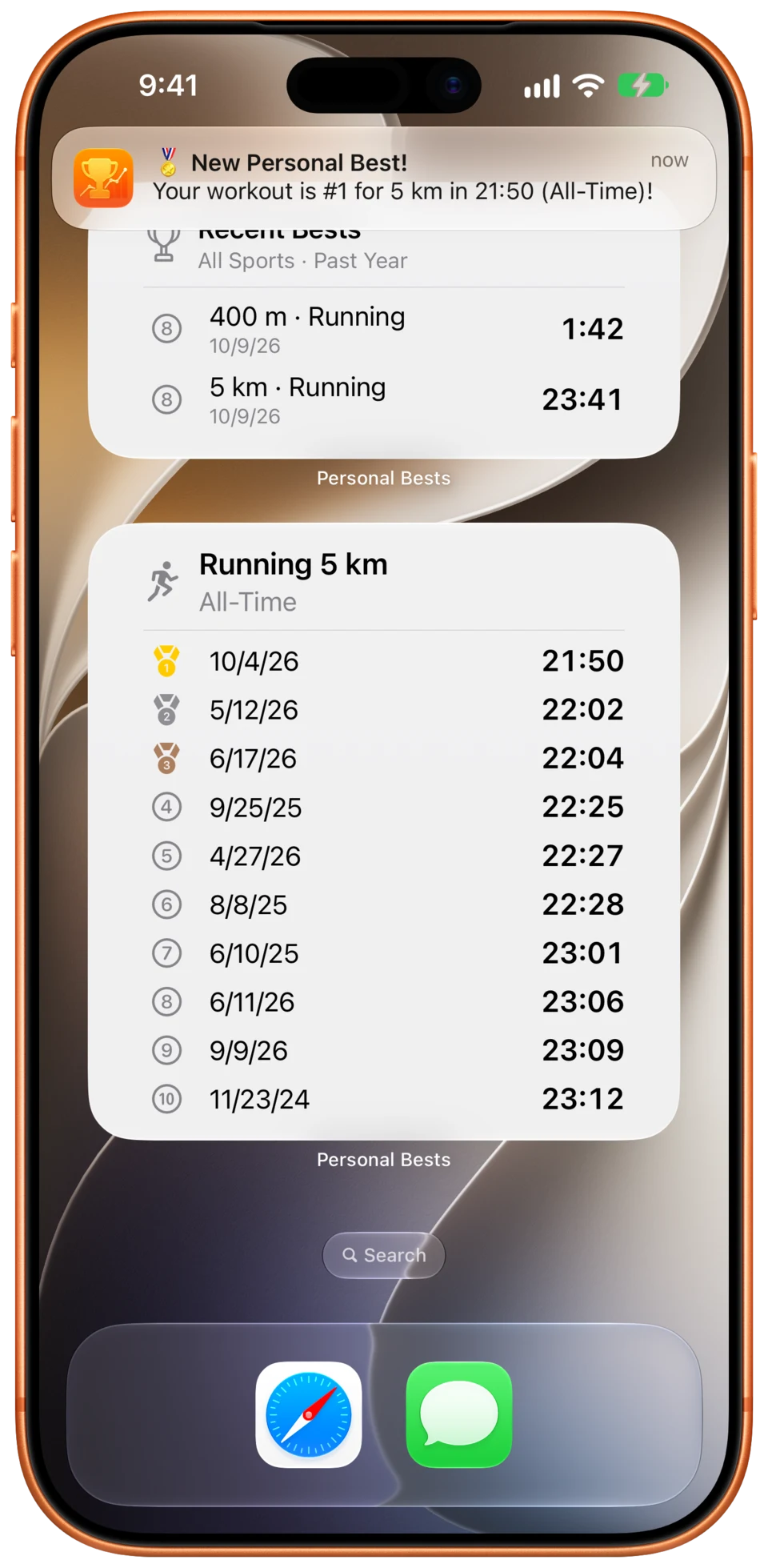
Notifications and widgets put your bests where you already look.
- A notification when a new workout earns a medal, for the timeframe and places you choose
- Rankings widget in every size, from the Lock Screen to the new full page on iOS 27
- Recent Bests widget: your newest medals, newest first
Everywhere you train
Your iPhone reads Apple Health and does the analysis. Your iPad and Mac show the results, synced through your own iCloud — no third-party accounts, ever.
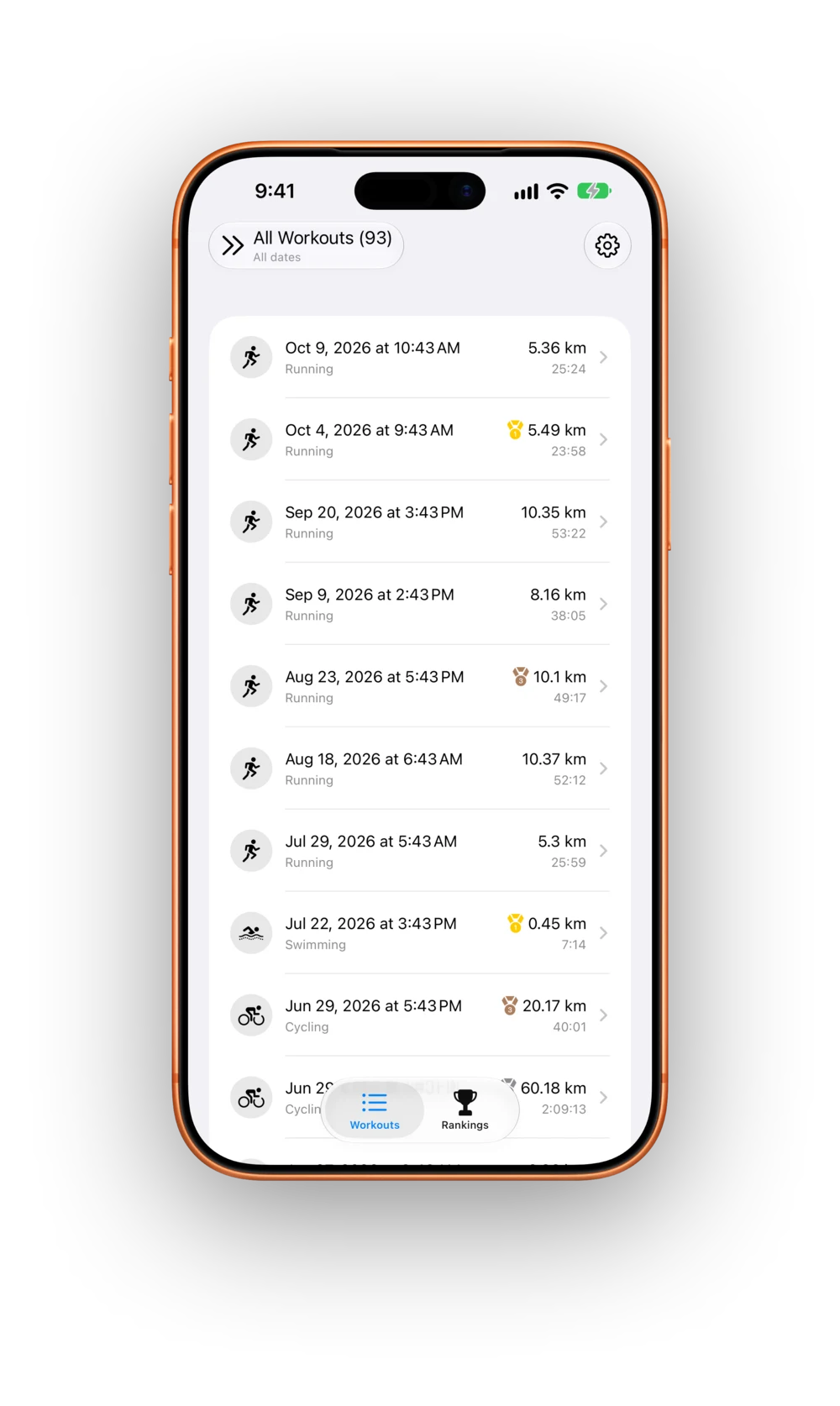
In your pocket after every workout
Each new workout is analysed in the background, and you get a notification when it earns a medal. Widgets put your rankings and newest bests on the Home Screen and Lock Screen.
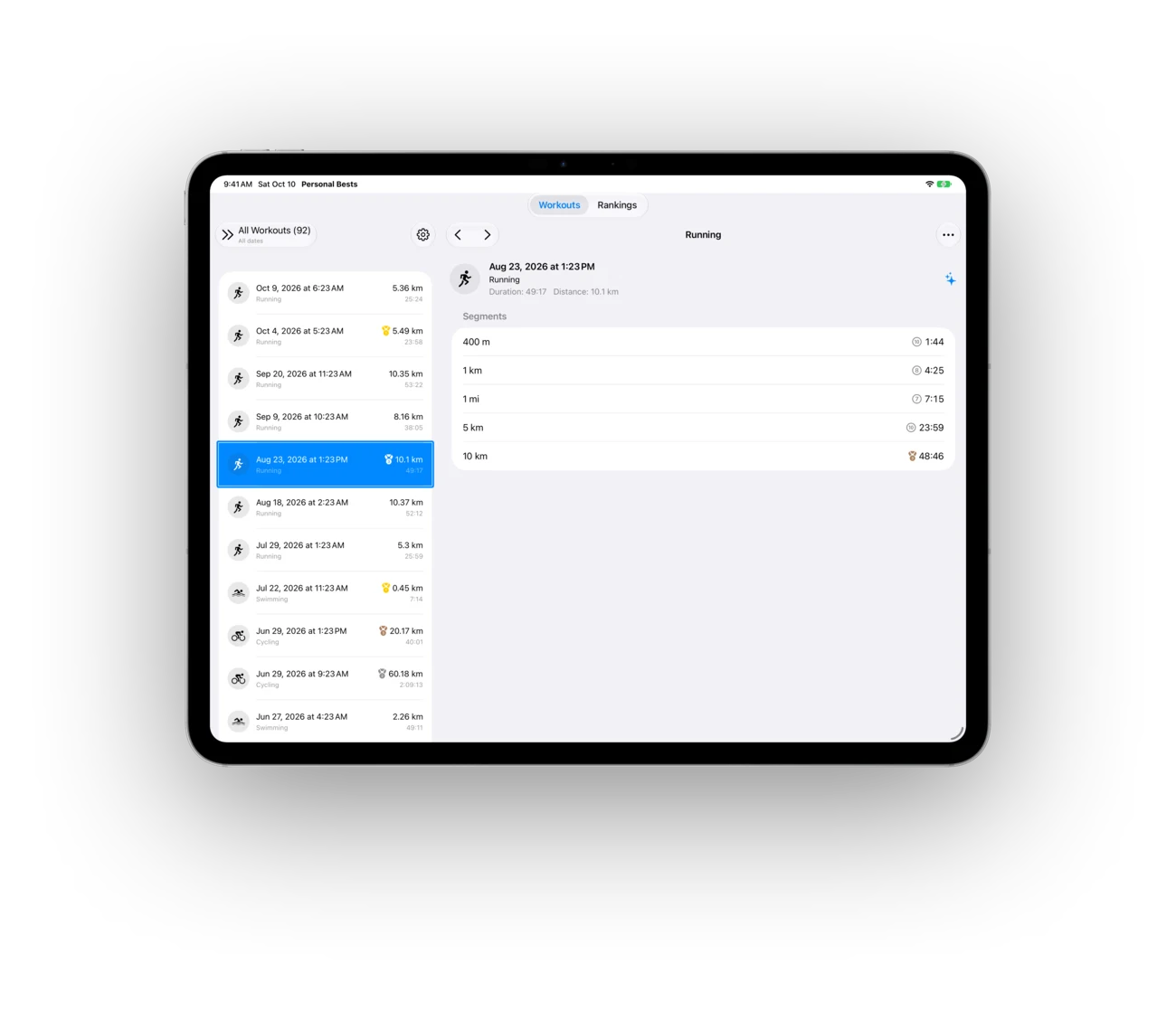
Room to dig into your history
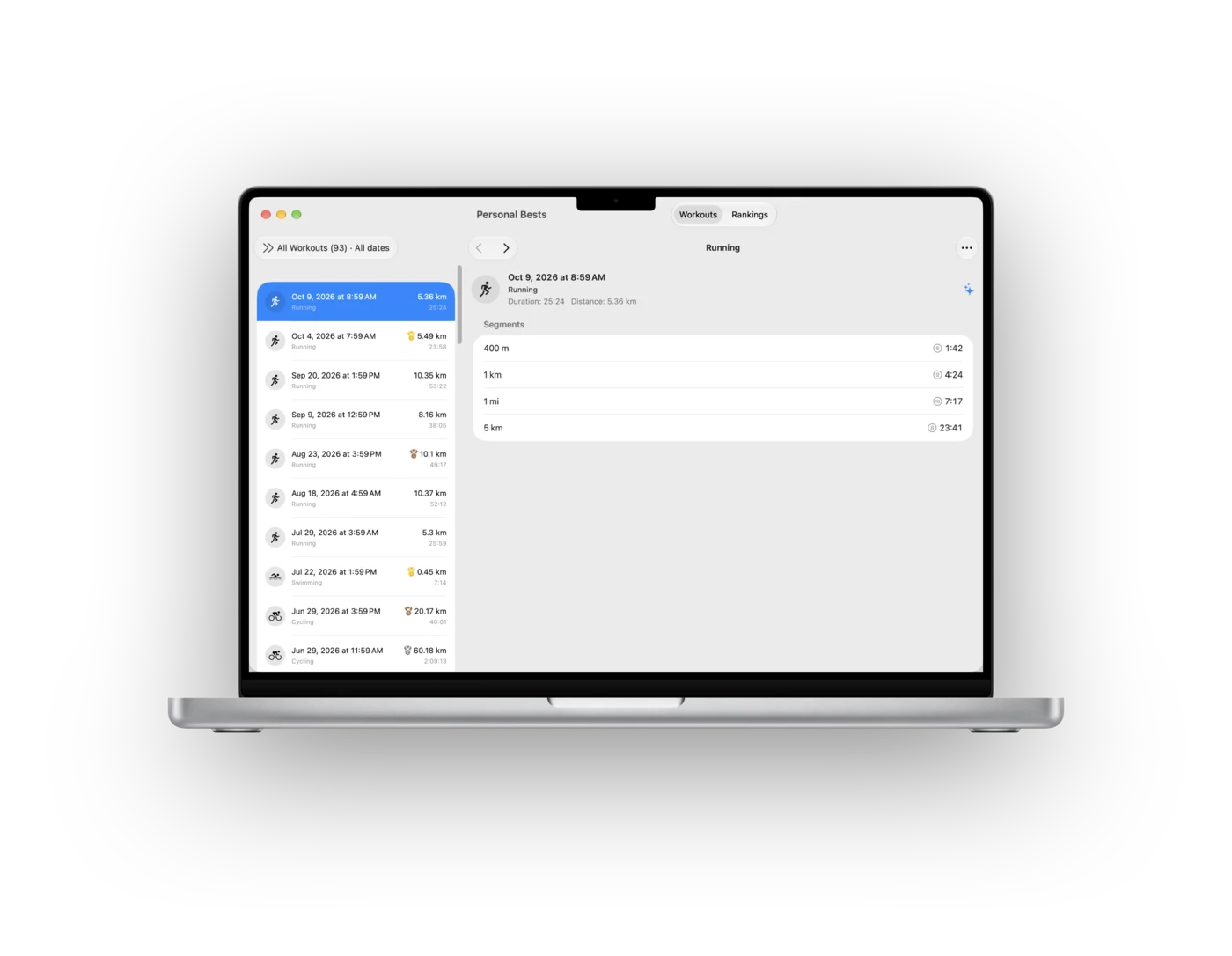
Your workout list and its details side by side, with rankings and medals on the big screen. Everything arrives from your iPhone through iCloud.
Review your season on the big screen
The same workouts, rankings and medals on your Mac, with keyboard shortcuts to step through your workouts and widgets on your desktop.
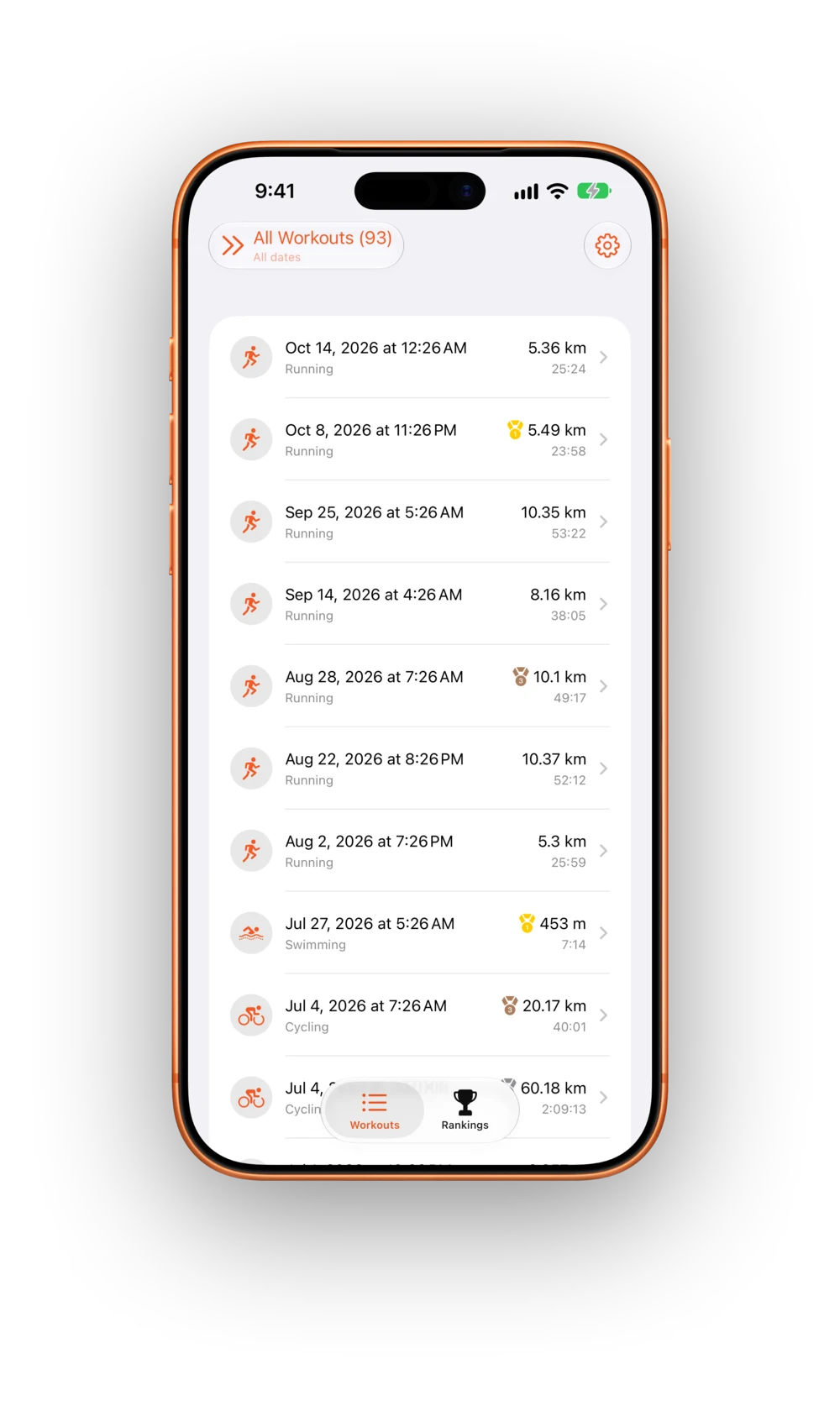
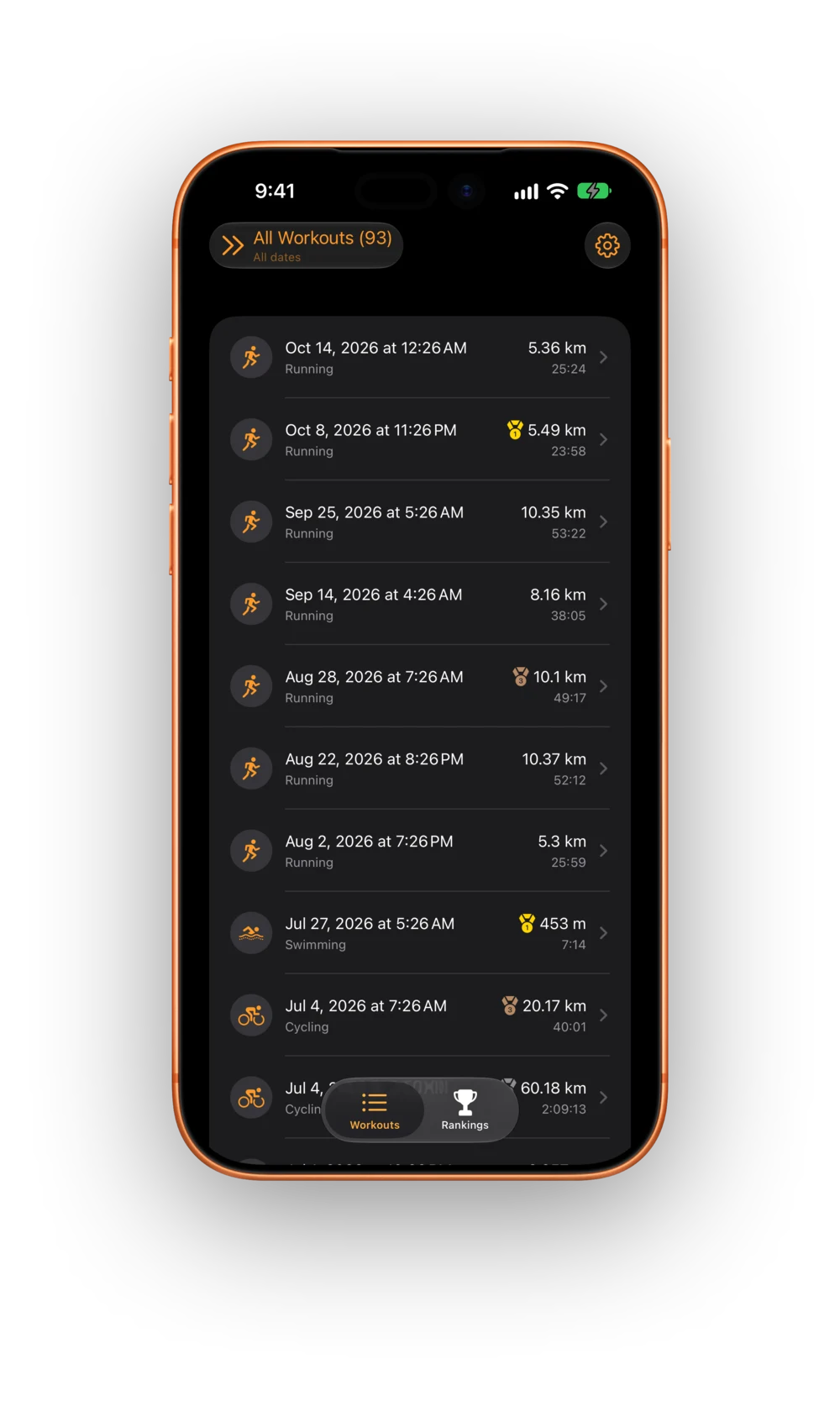
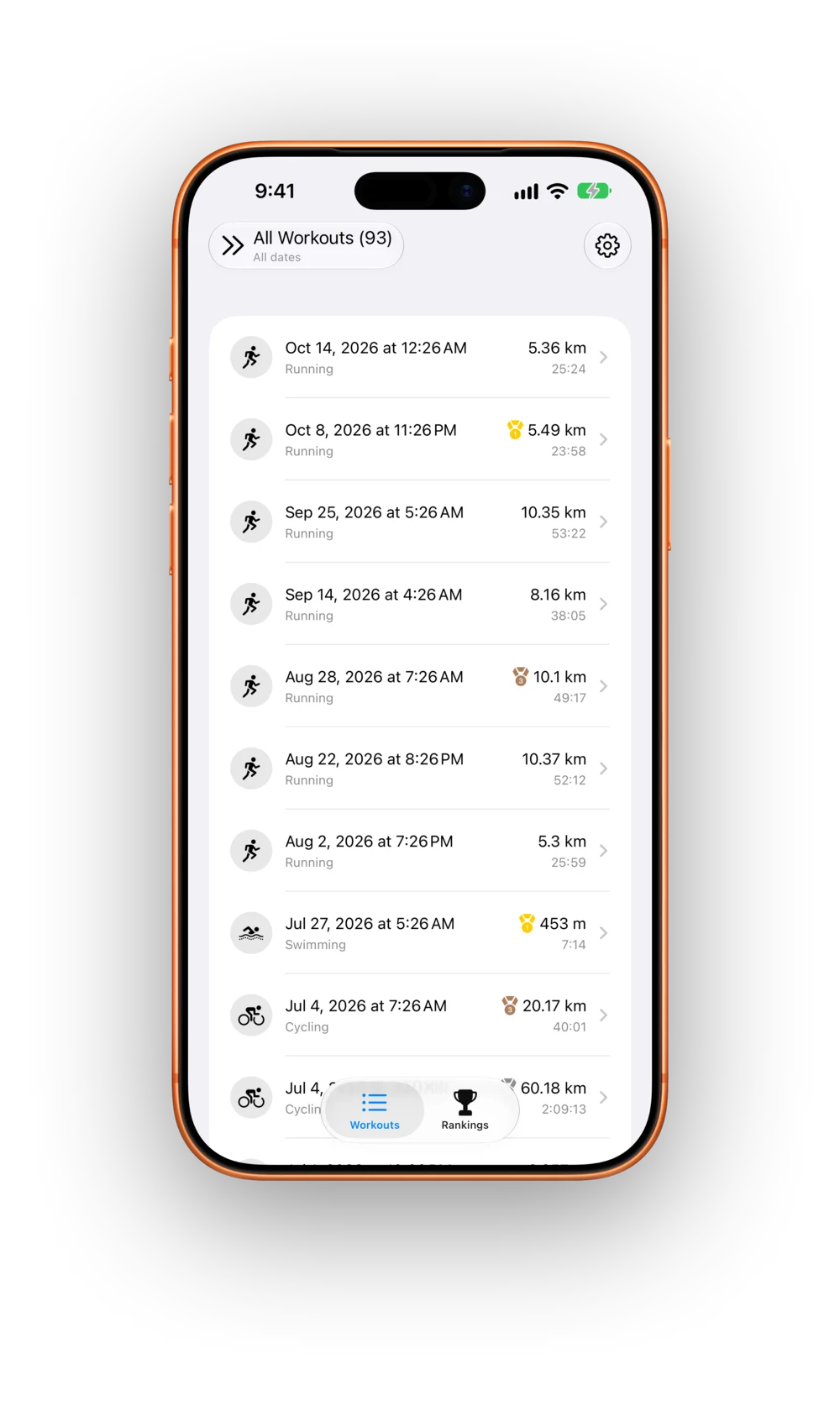
Make it yours
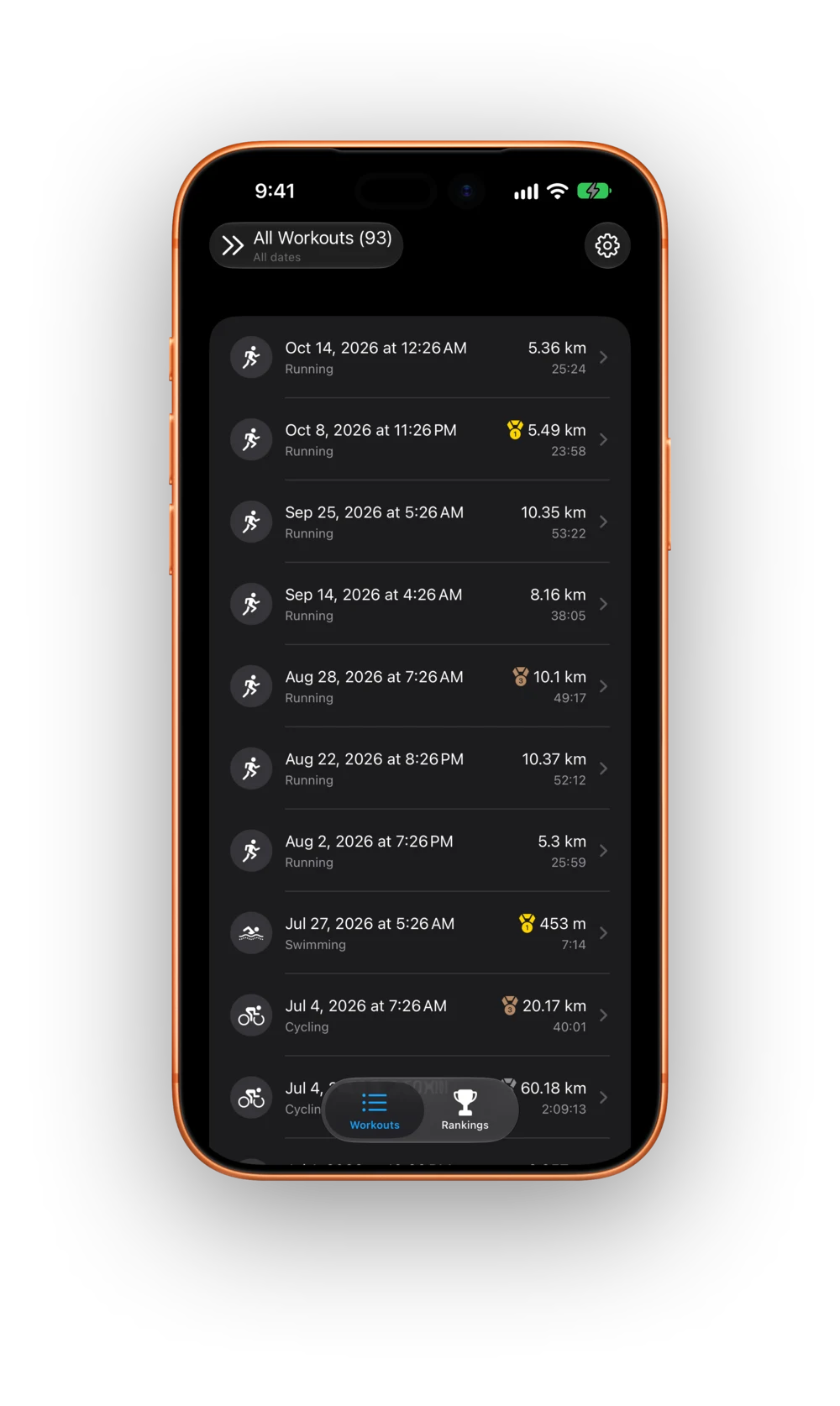
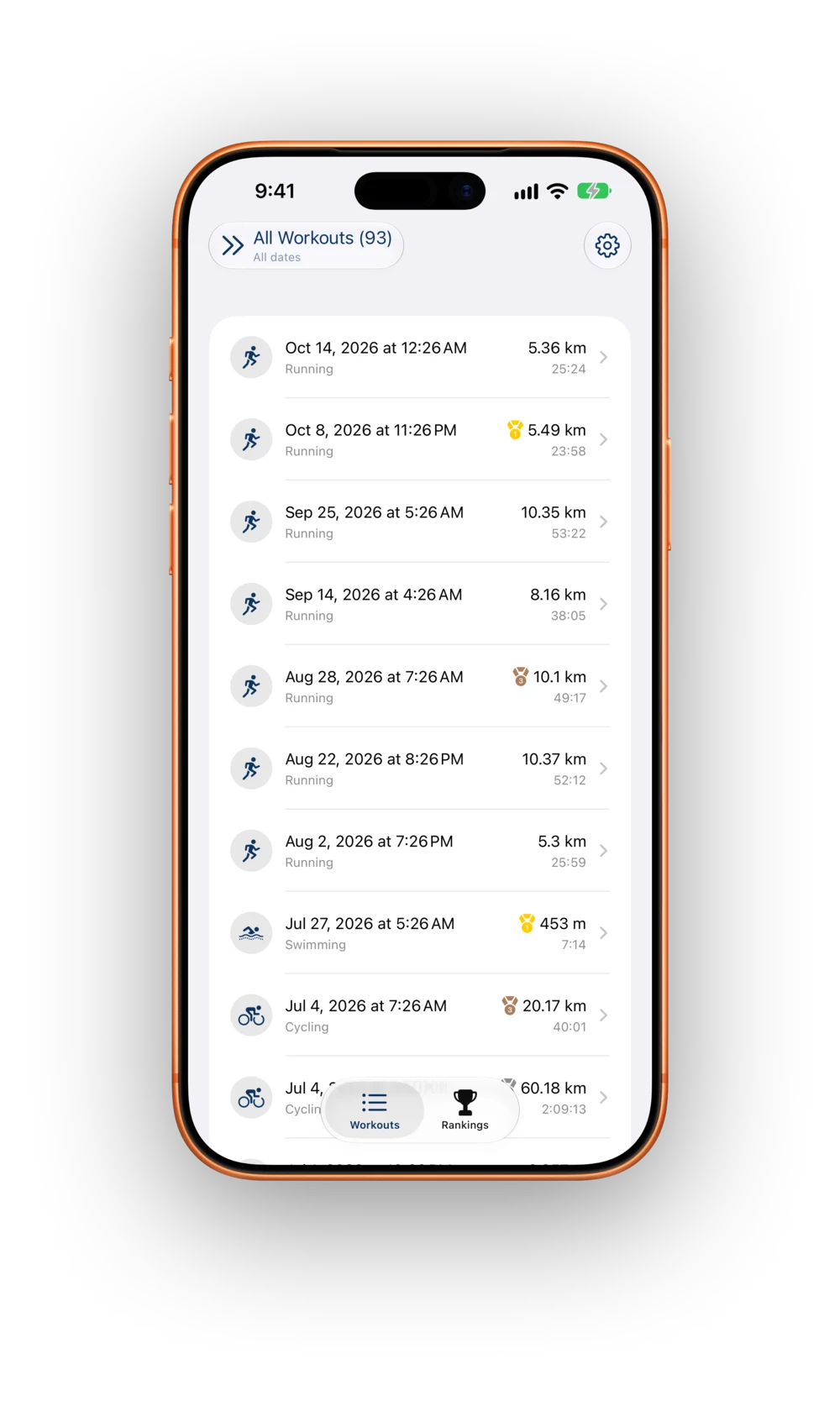
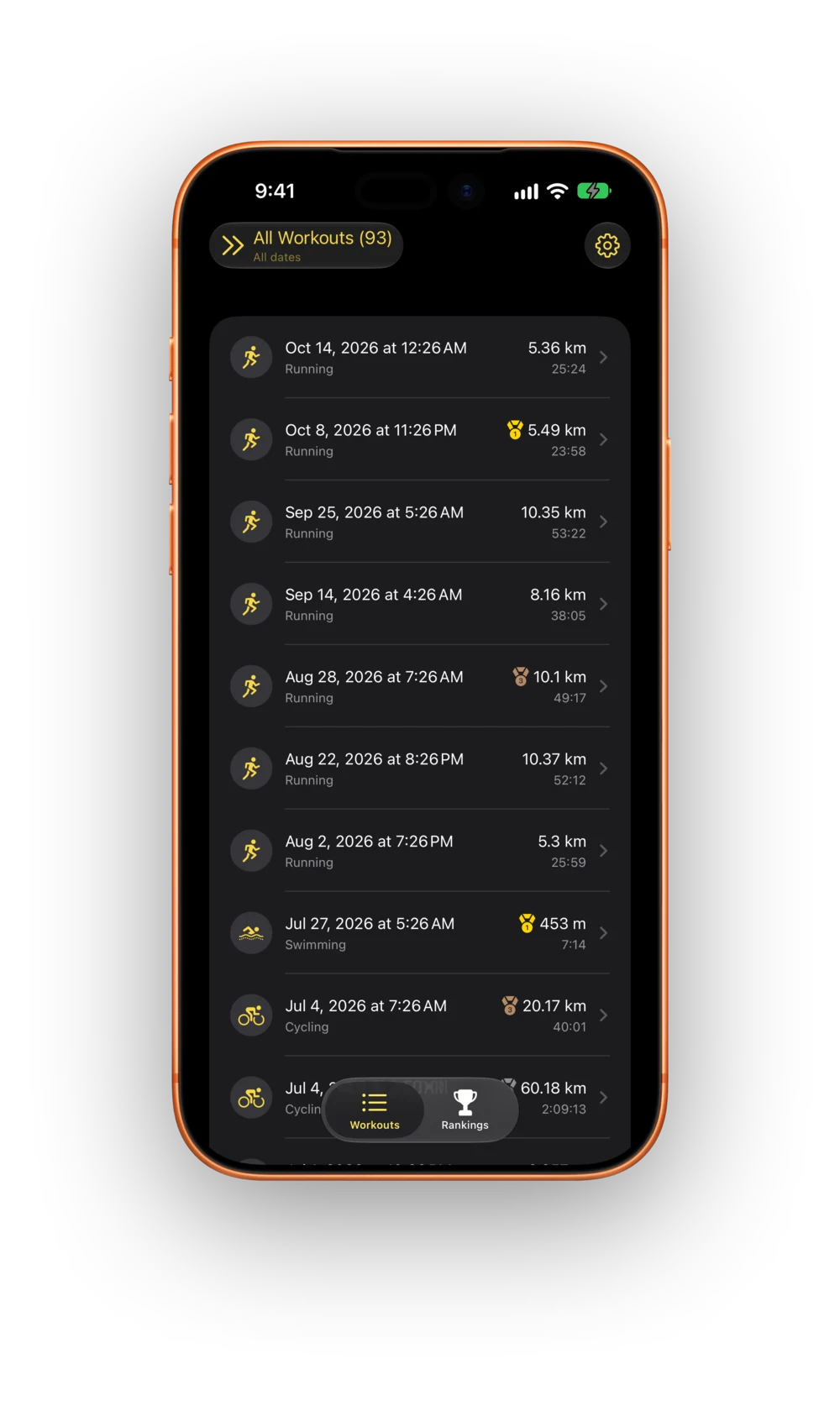
Three themes, each tuned for light and dark mode. Pick one on your iPhone, and your iPad and Mac follow along. There are three app icons to choose from, too.
All features
The complete list, at a glance.
Fastest segment detection
Your best effort for any distance, anywhere inside any workout.
Custom distances
Any distance in metres, kilometres or miles, for each sport.
Flexible timeframes
All-time, or any window in days, weeks, months or years.
Medals
Gold, silver and bronze, numbered so they read without colour.
Longest and farthest
Duration and distance get their own leaderboards too.
Indoor and outdoor
NewSeparate leaderboards for treadmill and trail, trainer and road.
Segment map
NewYour fastest segments, drawn on the route.
Workout summaries
A short written recap of any workout.
Anomaly detection
NewFlags segments too fast to be true, like a train ride.
Workout cropping
NewKeep only the part you actually did.
GPS spike removal
NewCut out GPS glitches with one tap.
While you were away
NewA recap of your medals and training since your last visit.
Personal-best notifications
Know when a new workout earns a medal.
Rankings widget
Any leaderboard, from the Lock Screen to a full page.
Recent Bests widget
NewYour newest medals, newest first.
Side-by-side layout
NewWorkouts and their details together on iPad and Mac, synced from your iPhone.
iCloud sync and backup
Through your own iCloud, and you can switch it off.
Make it yours
NewThree app icons, three themes, and haptics.
Accessibility
NewVoiceOver, Voice Control, and text that scales with Dynamic Type.
Private by design
On-device analysis, no account, and nobody else on your leaderboards.
What’s new
-
1.211 October 2026
- “While you were away”: a recap of your medals and training when you come back
- Segment maps: see where on the route your fastest efforts happened
- Clean up bad recordings: anomaly flags, workout cropping and GPS spike removal
- Recent Bests widget, and a full-page Rankings widget with up to 25 places on iOS 27
- Rank indoor and outdoor workouts separately
- Side-by-side layout on iPad and Mac
- App icons, themes and haptics
- Turn iCloud sync off, and clearer iCloud status
- Workout summaries on every device, recorded time zones and better accessibility
- Plus a faster launch, more reliable notifications and many fixes
-
1.1.120 June 2026
- More reliable iCloud sync across your devices
-
1.117 June 2026
- iCloud backup and sync
- iPad and Mac apps
- Personal-best notifications in the background
- Home Screen widgets
- On-device AI workout summaries (beta)
-
1.015 December 2025
- Your fastest segments, found inside every workout
- Rankings for any distance and timeframe
- Custom segments and timeframes
Go find your fastest mile.
It’s probably already in your workouts.